

Tutorial - App building with AI
Tutorial - App building with AI
Build a Blog Post Metrics app with AI assistance
In this tutorial, we use an example of a custom app called Blog Post Metrics that provides the editors with word count and reading time indicator. These metrics are set to be displayed in the entry editor sidebar for a “Blog post” content type.
This tutorial builds on the Create a custom app tutorial. The end result is the same, and this version focuses on using AI assistance for development.
Prerequisites
Setup
- Node.js — Install an LTS version. If you don’t have Node.js, download it from the Node.js download page.
- Contentful account and space — If you don’t have an account, sign up.
- Content type — Create a content type named “Blog post” with the following field:
- Title — Short text (field ID:
title). - Body — Long text (field ID:
body).
- Title — Short text (field ID:
- AI coding agent — Use an AI coding agent of your choice.
Knowledge requirements:
- JavaScript — Ability to read and write JavaScript.
- React — Basic understanding of React.
- Content modeling — Familiarity with content modeling.
Note: Different agents and models yield different results. You might not see identical results to those shown here and you may need to tweak the prompts for your own case, but the approach applies universally.
Create your project
-
Clone or download the Contentful Apps repository. This helps your AI agent generate code with more context. Open the repository in your IDE of choice.
-
In your AI agent chat, write the following prompt:
This initializes your project with all required files.
- Navigate to the new folder and start the app:
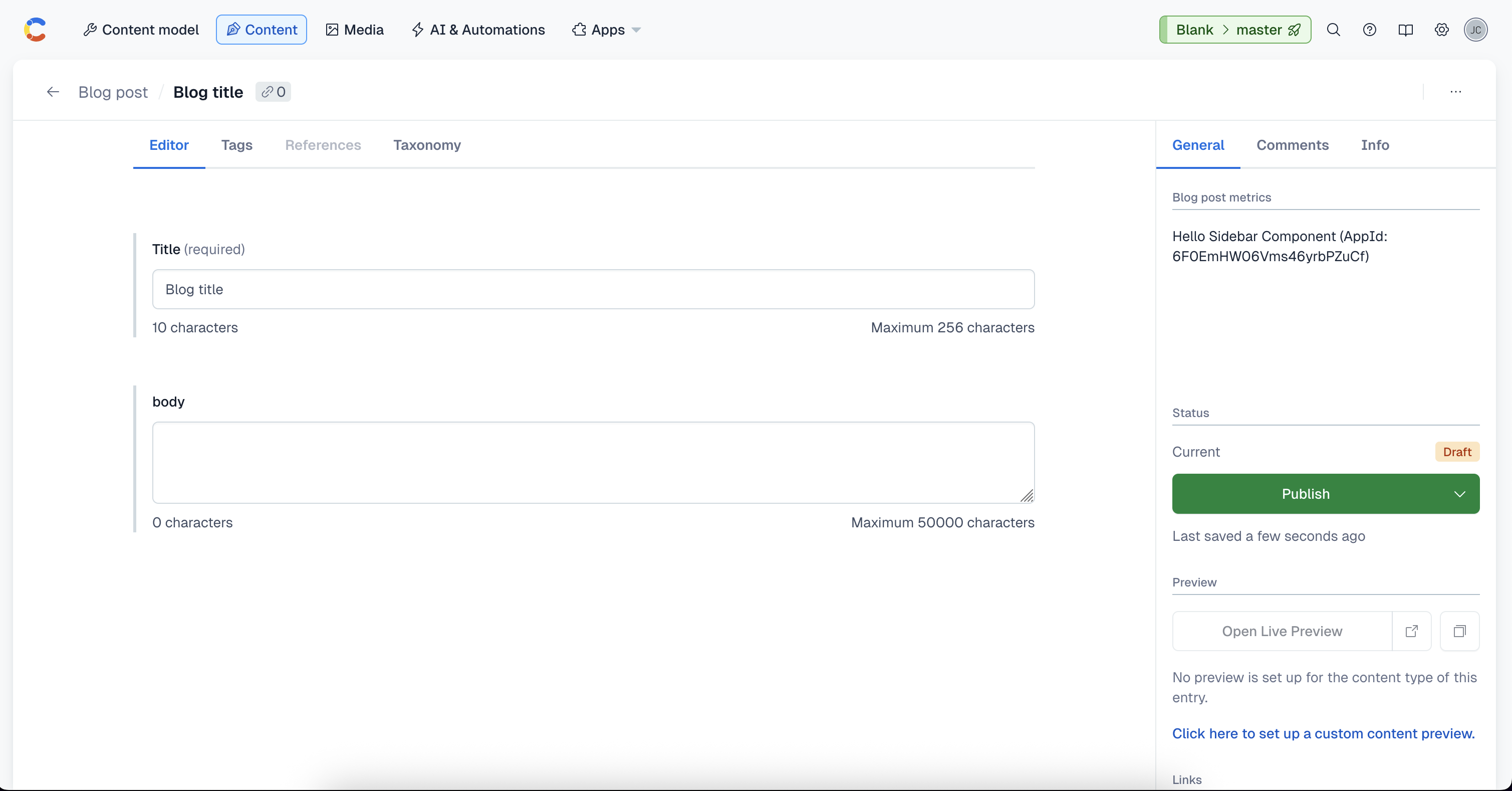
- Go to the mentioned tutorial and follow the steps starting at Embed your app in the Contentful web app. Confirm that your app works, then return here. You should see something like this:
Retrieve, calculate, and display metrics
Next, update the Blog Post Metrics app to retrieve entry content, calculate metrics, and display them in the sidebar.
The app runs in the Entry sidebar location. Open src/locations/Sidebar.tsx, which represents the sidebar location in the Contentful web app. For more information, see App locations.
Important: Use the Contentful design system, Forma 36, to align the app with the Contentful web app.
In your AI agent chat, copy this prompt:
This results in the following code:
Improve the code
After reviewing, we notice that the useEffect hook is unnecessary for reading the field value.
Prompt your AI agent with:
This results in the following code:
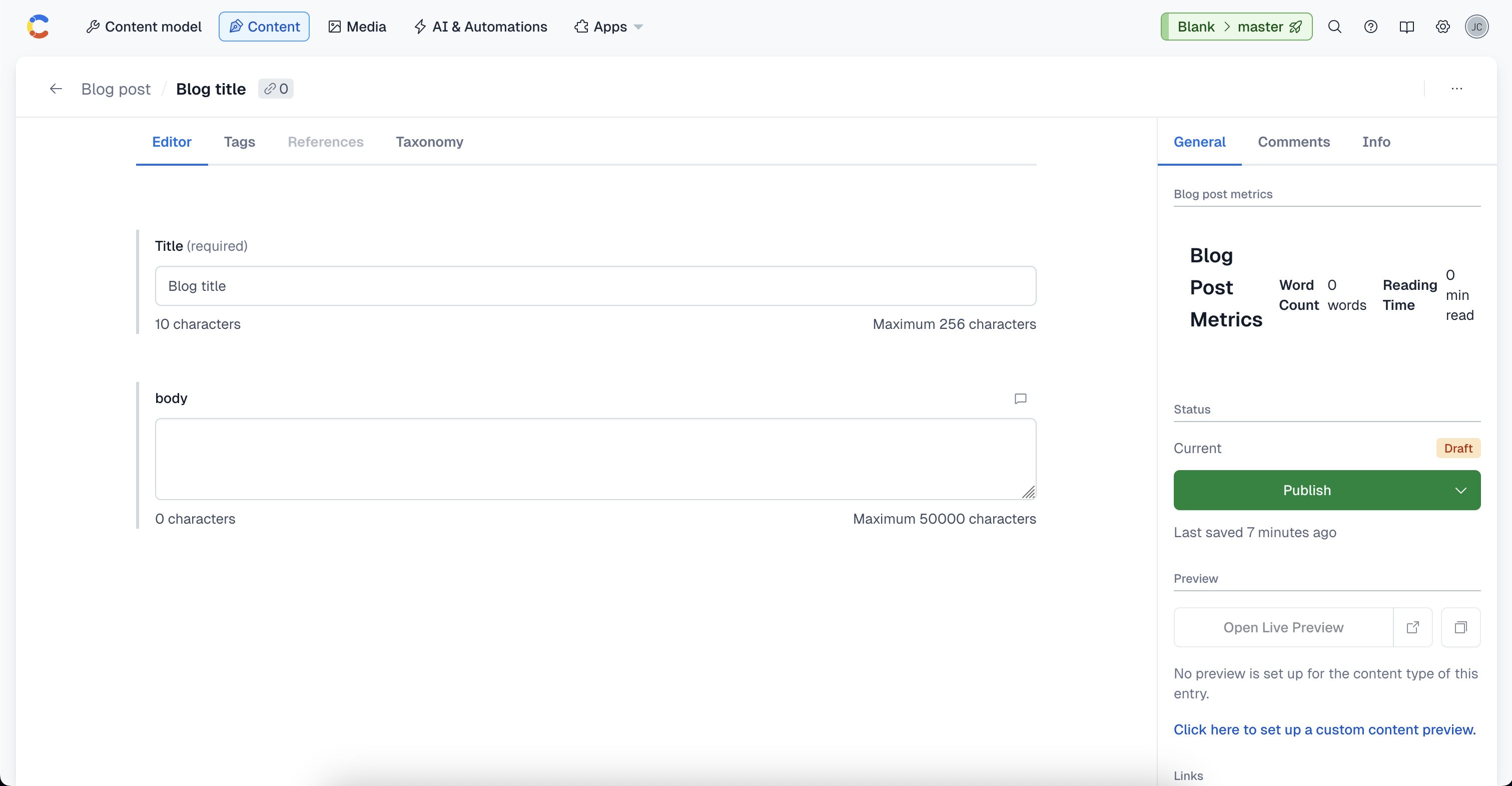
At this stage, you have a functioning app that you can preview locally.
Improve the UI
The UI might not look ideal. You can experiment with different AI prompts:
Option 1
Option 2
In both prompts it is recommended to include a screenshot of the current UI.
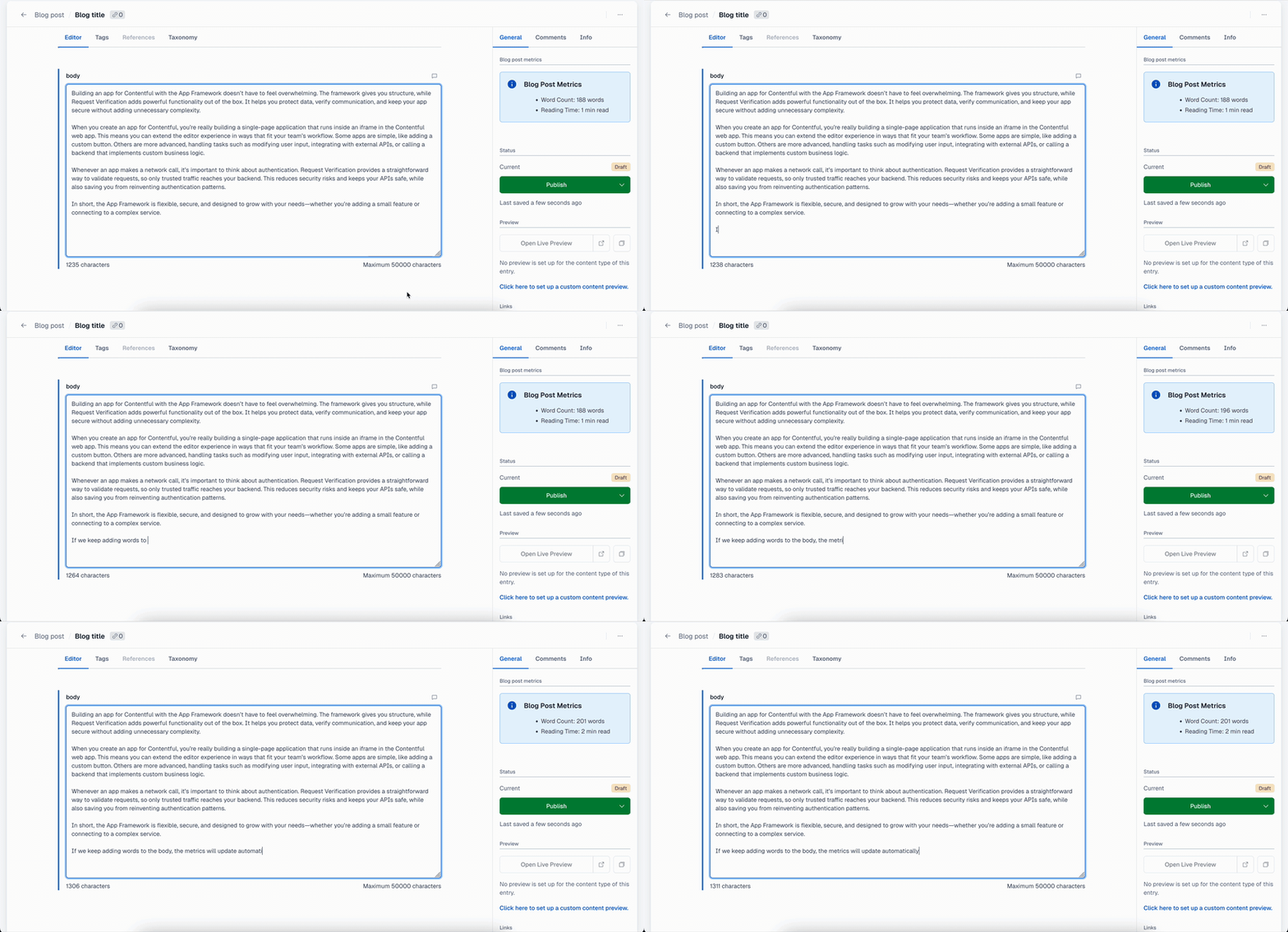
The UI now looks like this:
Add a configuration screen
To make the app flexible, add a configuration screen for customizable parameters.
In your AI agent chat, copy this prompt:
This results in the following code:
ConfigScreen
Sidebar
Fix configuration issues
The code above has a bug when updating the input, in which when the user tries to delete the current value from the input, the number 200 appears again automatically. In addition, the screen is not centered.
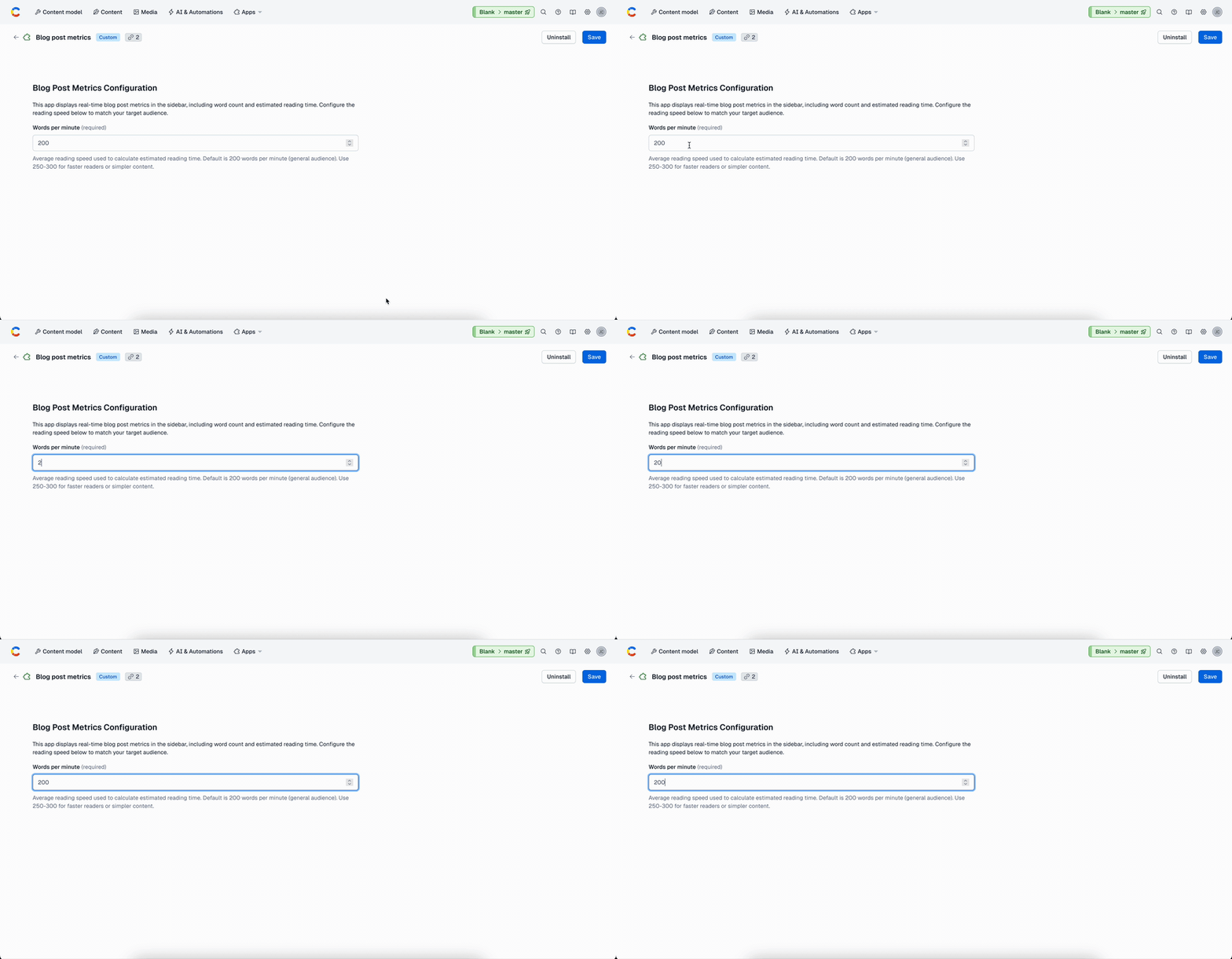
Prompt the AI agent with:
This yields the final corrected version:
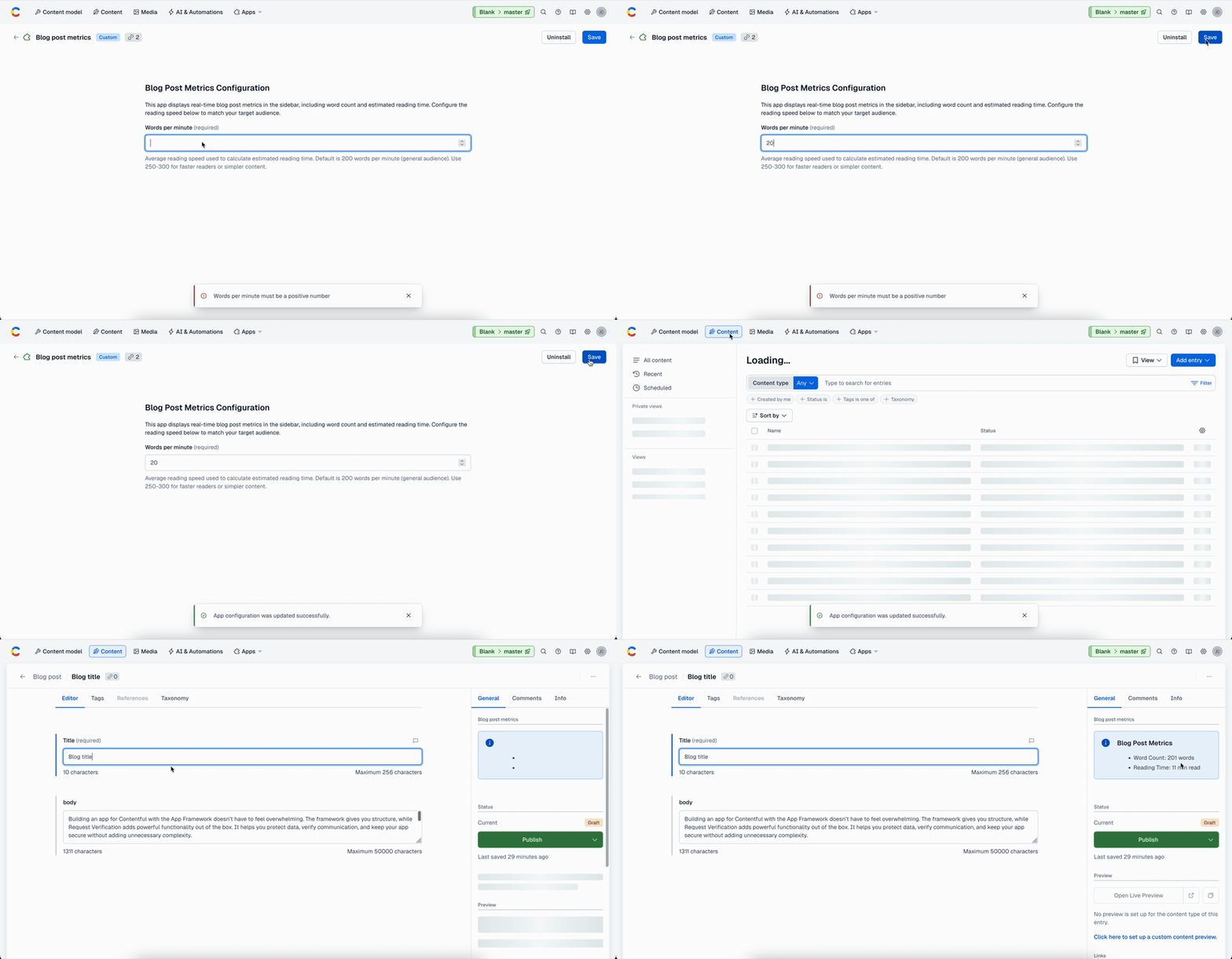
The final result looks like this:
Wrap-up
You now have a Blog Post Metrics app that:
- Calculates and displays real-time metrics (word count and estimated reading time).
- Provides a configuration screen to adjust reading speed.
- Uses the Contentful design system for consistent UI.
Conclusions
In this tutorial, we’ve covered the importance of integrating AI assistance into software development while keeping a human in the loop. AI-generated code can accelerate workflows, but always requires careful review and adaptation. We also highlighted the value of using the Contentful apps repository for context when prompting AI agents.
- Keep a human in the loop: Always review AI-generated code for quality, security, and maintainability.
- Use the Contentful apps repository to give your AI assistant more context and ensure your app aligns with established patterns.
- Test thoroughly to ensure configuration options work as expected in different scenarios.