

Render code blocks using Rich Text
Overview
The following guide is an example of how you can render code blocks using the Rich Text editor in Contentful. We will configure the Rich Text Options file at the code level. The Rich Text Options file contains configuration settings for the editor, in this case, the way your code blocks’ syntax is highlighted.
Prerequisites
-
A Rich Text field within Contentful. This will hold your structured content, including embedded code snippets.
-
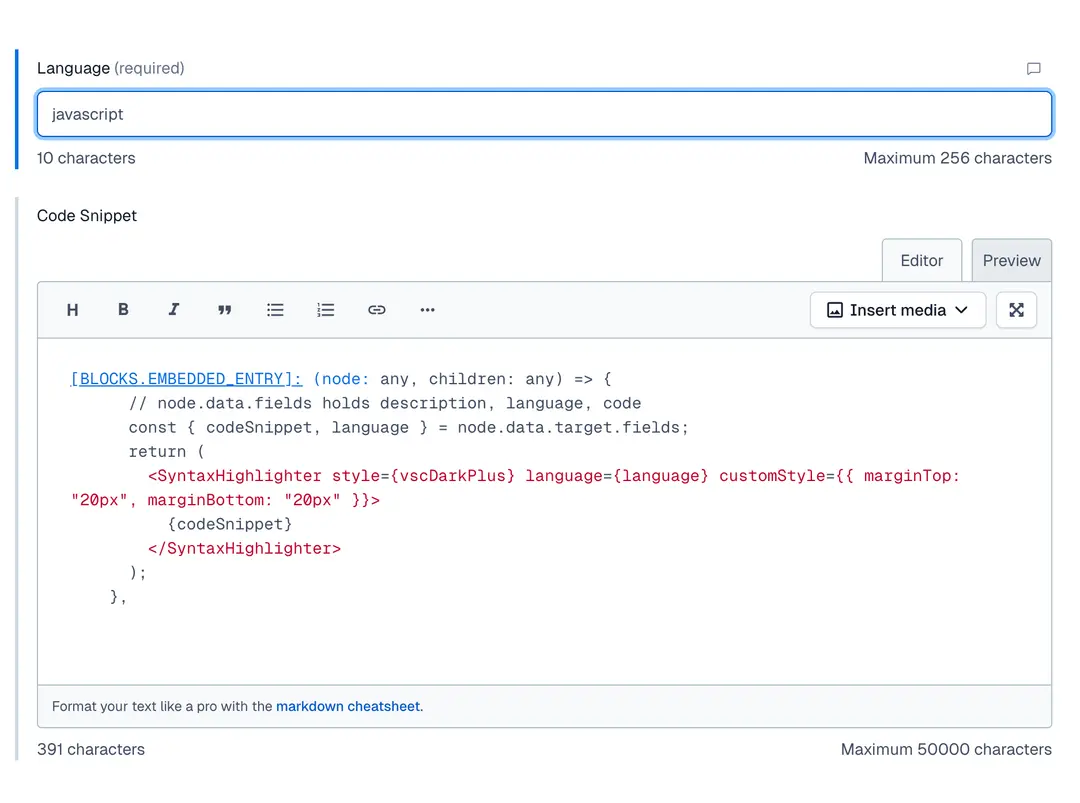
A content type for code snippets with the following fields:
- Language: Short text field to specify the programming language.
- Code snippet: Long text field to store the actual code.
-
A Rich Text field that is set to accept only the content type for code snippets
-
The react-syntax-highlighter installed
Implementation
1. Import syntax highlighter and theme
2. Extend your Rich Text Options
To configure the Rich Text Options file at the code level, you need to embed a content type in your Rich Text field in Contentful. This way, we know we have a code block and have reusability of content.
We can achieve the desired outcome by writing something like this:
When rendering the Rich Text content using @contentful/rich-text-react-renderer, you need to provide a custom rendering rule for embedded entries:
3. Render the content
Where content is the JSON you get from the Contentful Rich Text field.
Once implemented, any embedded code snippet entry within your Rich Text field will be rendered as a highlighted code block using react-syntax-highlighter.