

Compose content model and SEO
Compose is being deprecated. It is in maintenance mode and won’t be updated with any new features. Current installations will work until the end of 2027.
This document describes Compose that is driven by a legacy content model. If you set up Compose after April 21st 2022, please refer to the updated Compose documentation.
Structure of Compose content model
The image and explanations below describe the elements of the Compose content model and connections between them.
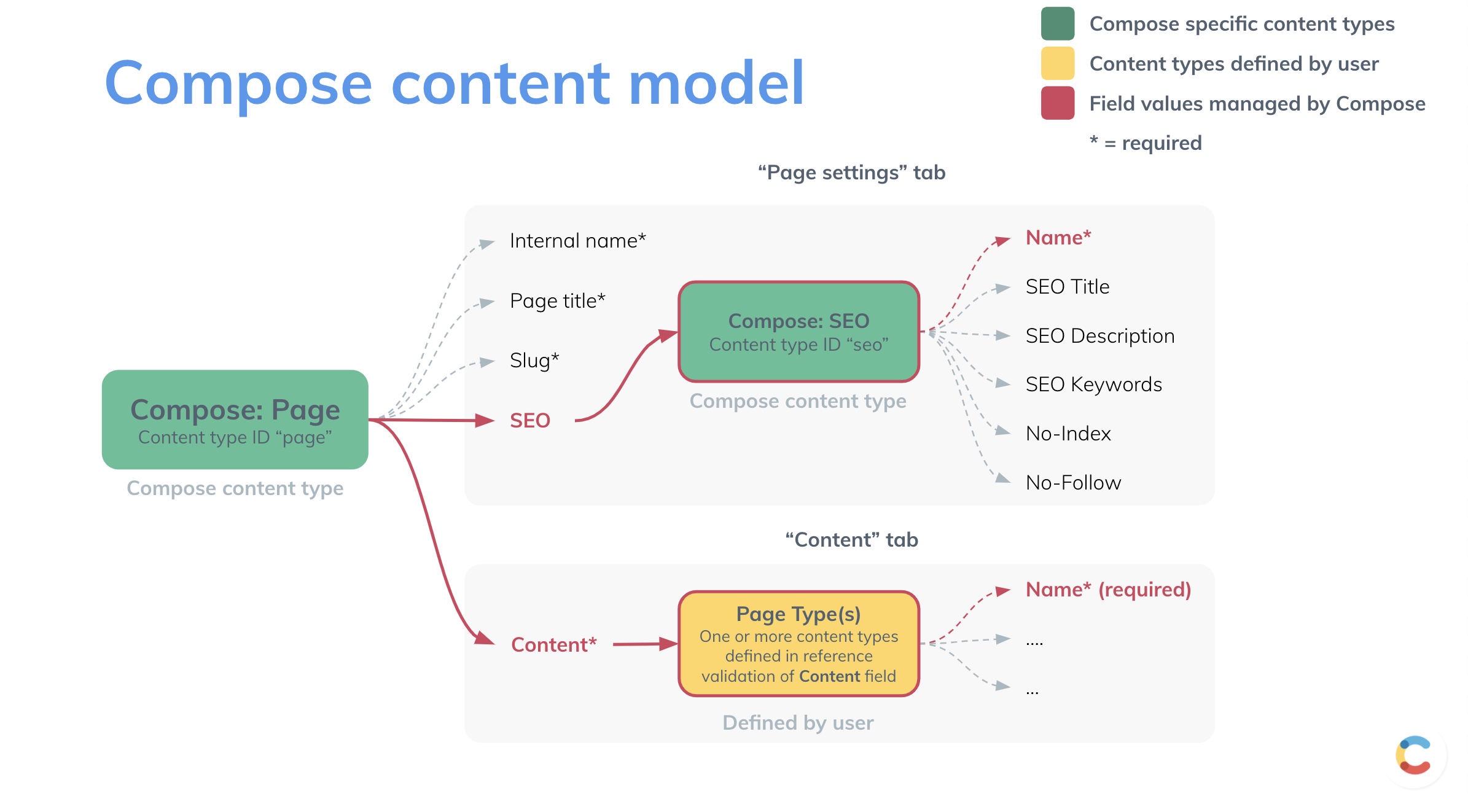
Compose content model consists of the following content types:
Compose: Page - represents a web page in Compose. This entry acts as a container for content and other page-related settings (such as the page title, slug and SEO metadata).
Compose: SEO - contains page SEO metadata and is linked to “Compose: Page” through SEO Metadata reference field.
Page type(s) - one or more custom content types – each with a custom set of fields – that define the content structure for different kinds of pages
Compose specific content types
Compose requires two specific content types that define the structure of a web page and SEO metadata:
These content types are generated programmatically when setting up Compose in a space environment.
Compose: Page
This content type represents a web page in Compose. It serves as an abstract entity containing common page-related information such as title, slug, SEO metadata and the actual content. Compose only lists the entries of the “Compose: Page” content type which can be edited in the page editor.
When building the frontend for a website the “Compose: Page” entries are the main entry point for fetching all the information that is required to render a page and its content.
The image below displays “Compose: Page” content type and the fields that it contains. Please see the table below the image for further explanations.
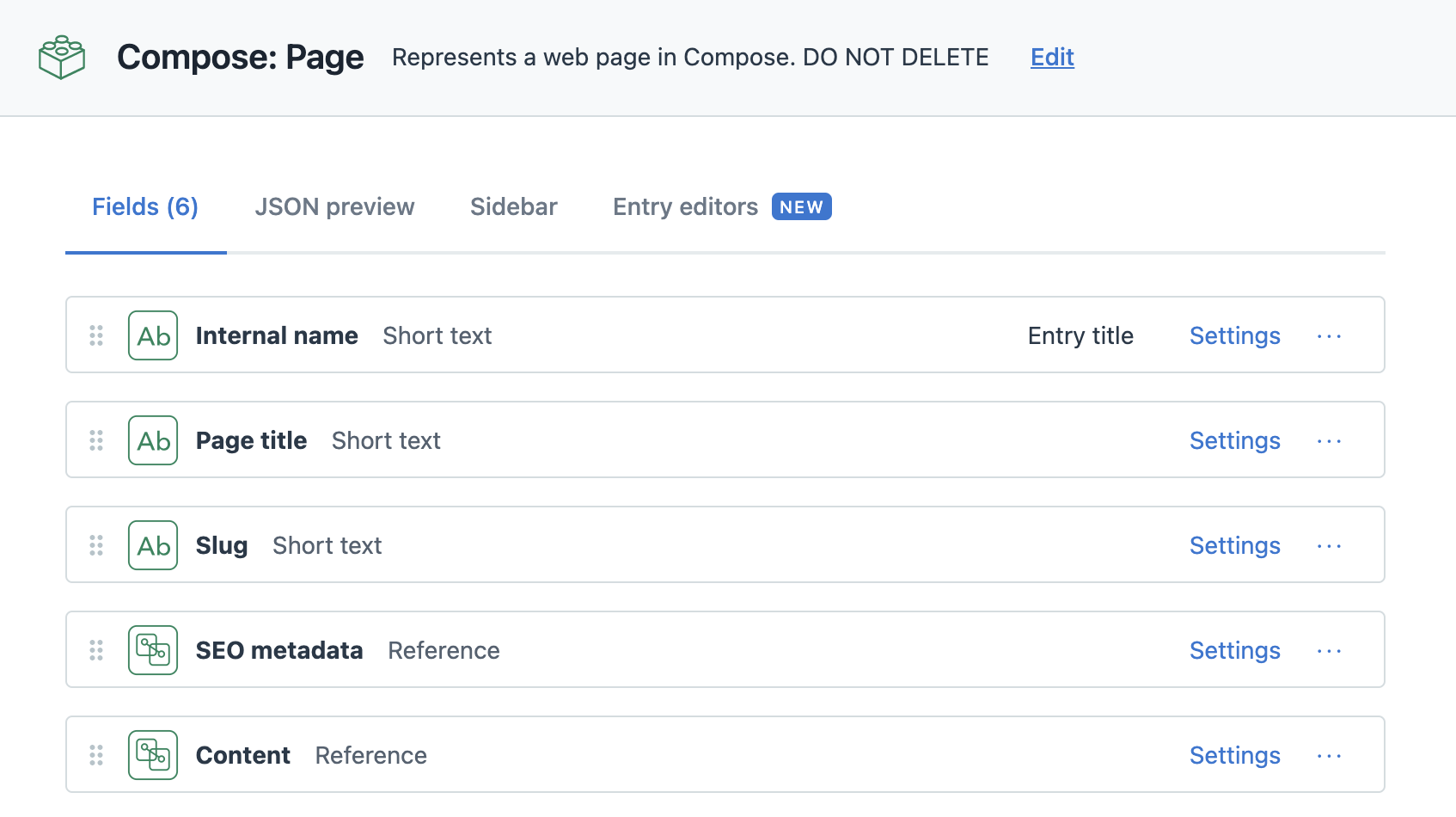
The “Content” field links to a specific page type entry. Its validation must be configured to accept specific content types representing custom page types, e.g. “Landing page” or “Help Center Article”. Compose uses this validation setting to determine the available page types when creating new pages.
Compose: SEO
SEO-related page metadata are managed in an entry of the “Compose: SEO” content type. For each Compose page a “Compose: SEO” entry is automatically created and linked to the “SEO Metadata” reference field of the relevant “Compose: Page” entity.
To ensure that search engines can consume the SEO metadata, the frontend application needs to render the values in the corresponding HTML meta-tags. Check our tutorial for an example on how to render the SEO meta-tags for a website.
The image below displays “Compose: SEO” content type and the fields that it contains. Please see the table below the image for further explanations.
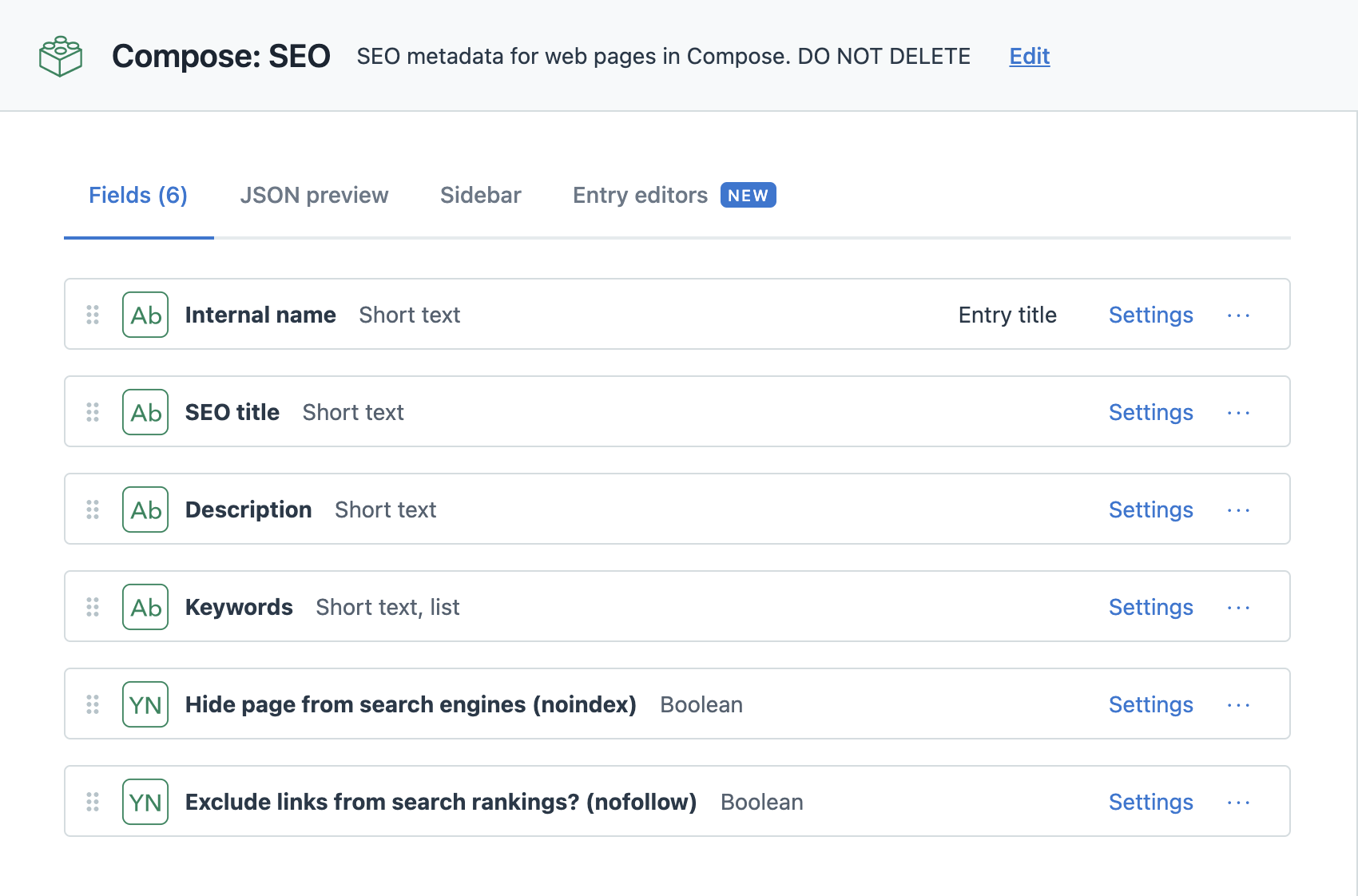
The “name” field is used by Compose to programmatically assign the internal name of the containing page to the entry by using following convention:
{Internal name of page} - Compose: SEO
Example:
This makes it easy to see to which page the “Compose: SEO” entry belongs to in the Contentful web app or in the Launch app.
Since the “name” field is programmatically managed it does not appear in the Compose UI. If the containing “Compose: Page” entry is renamed using the web app or the API the changes won’t be reflected until the page is reloaded into the page editor in Compose.