Changelog

Stay up to date with the latest product updates, new features, and improvements across the Contentful platform.

Subscribe via RSS

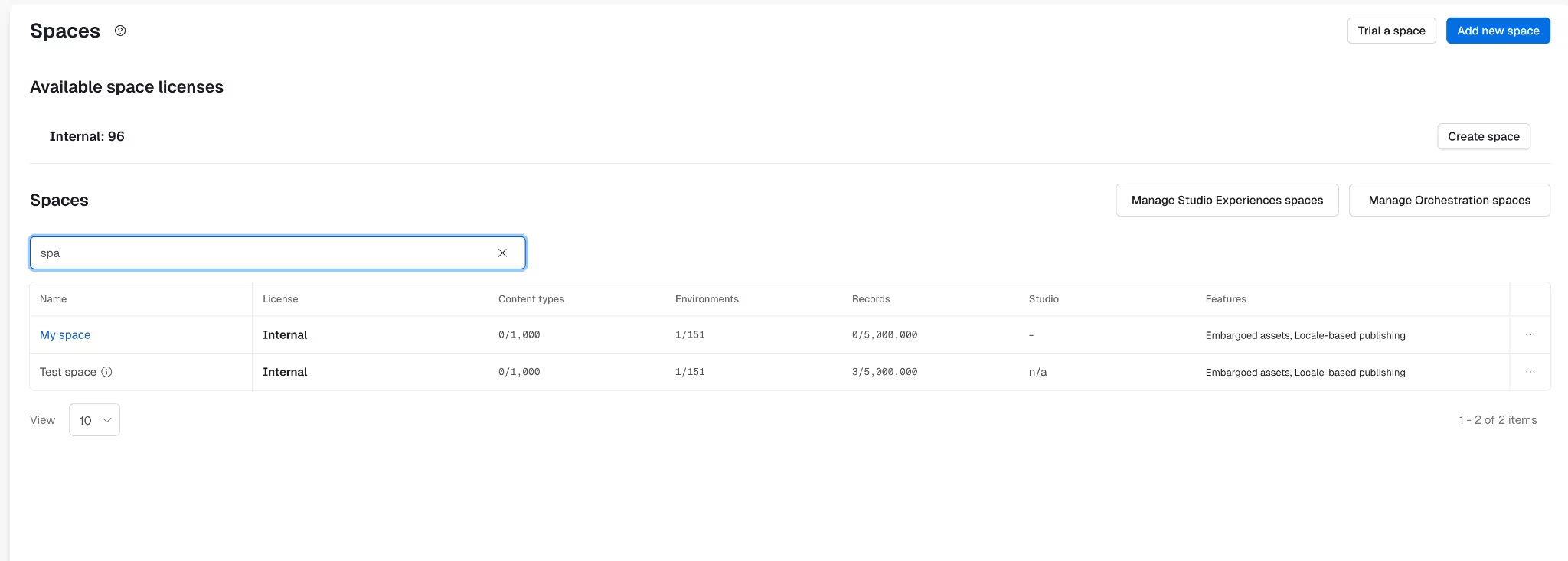
Manage spaces at scale through the Content Management API

Starting May 19, 2026, Enterprise teams can now manage key space setup steps through the Content Management API. With this release, you can list available licenses for an organization, check eligible licenses for a space, create a paid space with a selected license, unarchive a space with a selected license, and view or manage space add-ons for environments, content types, and records.

scalable-spaces-video

This removes a key manual step from multi-space provisioning and makes space setup easier to automate at scale.

This release is intended for developers and platform teams with org owner or admin permissions who manage many spaces through automation or internal tooling. It does not cover trial-space management or upgrade and downgrade flows in this release.

For more information, see: Create a space, Unarchive a space, Eligible licenses, Available licenses, Get space add-ons from a space and Allocate or deallocate space add-ons.

Google Cloud support for Enterprise Observability log streaming

Starting May 19, 2026, Enterprise Observability log streaming can now deliver Content Delivery API (CDA) logs to Google Cloud Storage, alongside existing support for AWS S3. This enables teams running on Google Cloud to route Contentful API activity logs directly into their existing observability stack, with no need to route through a third-party destination.

For details, see the Enterprise Observability: Google Cloud Storage setup.

AI Actions now supports Azure OpenAI connector

Starting May 19, 2026, AI Actions now supports Azure OpenAI as an additional bring your own model (BYOM) connector.

This allows organizations using Microsoft Azure to connect Azure-hosted OpenAI models directly into Contentful AI Actions. Azure OpenAI joins the existing supported AI provider connectors, including OpenAI, AWS Bedrock, Google Gemini, Google Vertex AI and custom model connectors.

Once configured, Azure models can be used in AI Actions for generation and validation workflows.

Learn more in our Azure connector setup guide.

Configure AI Actions with assignment and filtering

Starting May 19, 2026, AI Actions now support assignment and filtering configurations to help teams control where AI Actions appear and how they run. You can assign actions to specific content types and fields, configure default variable values, and reduce repetitive tasks for editors.

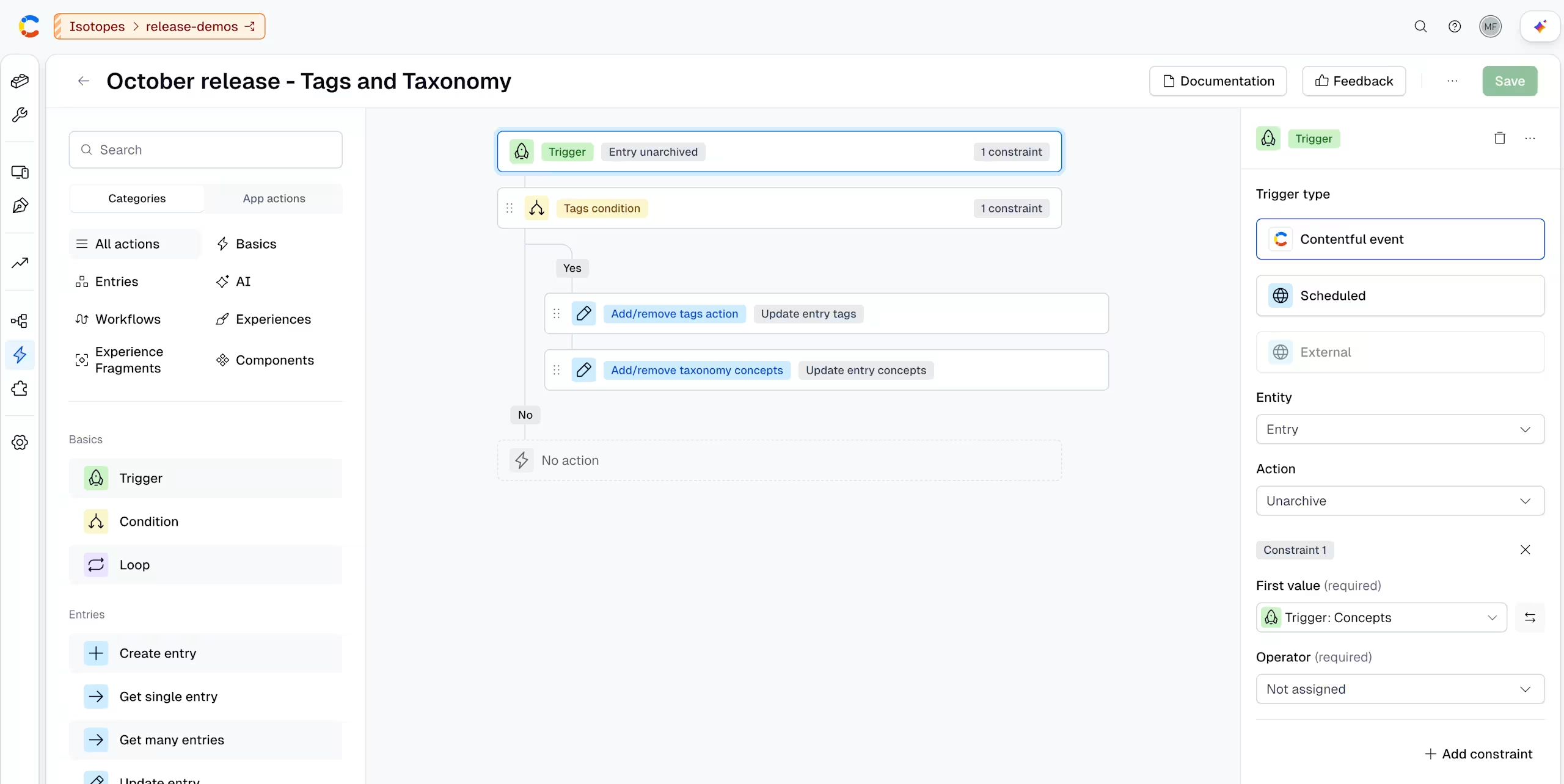
assignment-filtering-config

This release applies to AI Actions in Contentful. Existing AI Actions, content models, and editor workflows remain unchanged.

With these new assignment and filtering configurations enhancement, you can:

  • Show AI Actions only where they are relevant by assigning them to specific content types and fields.
  • Improve localization workflows by limiting translation actions to specific fields, such as translating only body content instead of entire entries, and pre-configuring which languages are available for translation.
  • Support brand consistency by applying brand-checking actions only to fields like titles and content where messaging matters most.
  • Reduce editor friction by preconfiguring and locking variable values such as locales or brand guidelines rules.

Learn more in our Help Center.

Google Analytics 4 app: more flexible page analytics in Contentful

The Google Analytics 4 app now helps editors view page performance metrics directly inside the Contentful entry sidebar, while keeping analytics connected to the right entry even when pages use complex URL structures or multiple URLs.

These updates help content teams understand how each entry is performing without leaving Contentful or manually checking Google Analytics 4. Teams can map entries using standard slug and prefix settings, and configure advanced URL patterns for localized segments, query strings, wildcard segments, and multiple rules per content type.

Key features include:

  • Entry Performance Insights: View total or unique page views, trends over time, and deep links into Google Analytics 4 directly from the entry sidebar.
  • Accurate URL Mapping: Connect entries to page paths using standard slug and prefix settings or advanced patterns built from short text, short text list, and integer fields.
  • Holistic Page Analytics: Combine metrics across all matching Google Analytics 4 page paths and view included paths in the sidebar, so variants, locales, and multiple URLs contribute to a clear entry-level performance view.

For more information, see Google Analytics 4 documentation.

Monitor your events in the Live Events dashboard

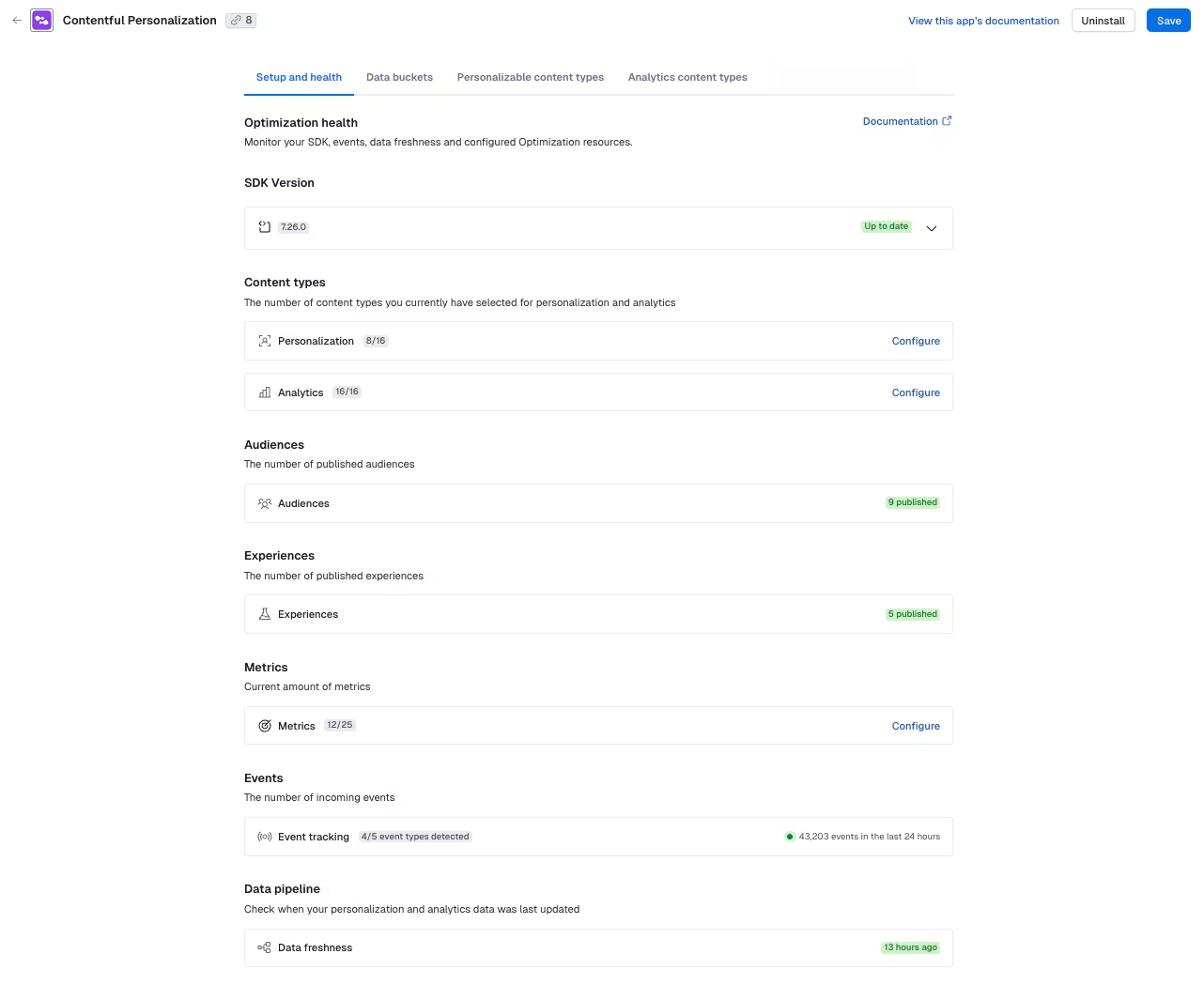
The Live Events dashboard is now available to all Contentful Personalization customers in the Optimization tab of the web app. Personalization: Live Events

Live Events is a real-time event streaming dashboard that allows you to monitor the following incoming SDK events as they happen:

  • Track events
  • Component events
  • Identify events
  • Page events

It helps you quickly confirm that your setup is correct, tracking is working, and you can troubleshoot potential issues, as they occur. This helps you move faster and build confidence that your data is accurate from the start.

For more information about the dashboard, see the Live Events page in the Help Center.

Content semantics now available with duplicate detection, smart suggestions and API access

Starting April 21st, 2026, Content semantics is available on all paid plans. This helps you work more confidently with your content by understanding what your entries are about beyond just the words they contain. This includes duplicate detection, contextual suggestions, improved AI-assisted workflows and access to a semantic (vector-based) representation of your content via APIs.

Content semantics is managed at the space-level and must be enabled via Organization settings before features are available.

content semantics

This release applies to selected spaces where Content semantics is enabled. Features are available in Contentful and Content Management API (CMA). Existing content models, entries, and workflows remain unchanged.

With Content semantics, you can:

  • Avoid duplicate content by identifying entries that cover the same topics or ideas.
  • Reuse the right content by suggesting relevant entries when you add references and suggested links in rich text to other entries.
  • Improve content quality and consistency to scale by using Smart context in your AI Actions.

Learn more with our Help Center and Developer documentation.

Enterprise Observability - making Contentful observable with log streaming

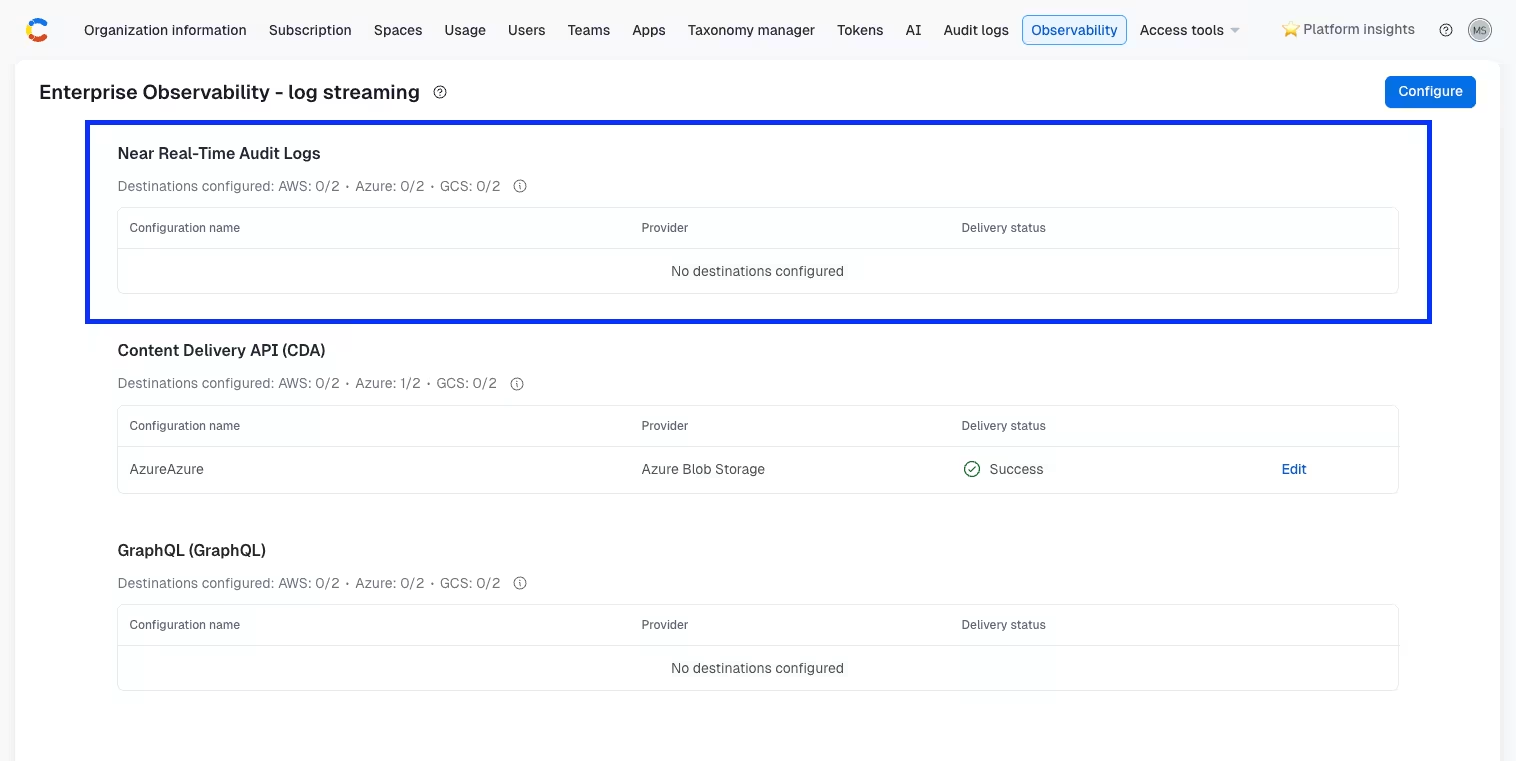
Contentful now streams in near real-time API activity logs directly into your cloud storage, starting with Content Delivery API (CDA) logs delivered to AWS S3.

Observability UI screenshot

Enterprise Observability is built for engineering and platform teams who need visibility into how Contentful performs as part of their broader stack. Teams can now bring Contentful into the same dashboards, alerting workflows, and incident processes they already rely on.

With Enterprise Observability, you can:

  • Stream CDA logs to your AWS S3 bucket every few minutes, without any manual export or polling.
  • Ingest logs into the observability tools you are already using.
  • Monitor delivery health programmatically via a dedicated status API, or receive email alerts when delivery fails.

To learn more, read our Enterprise Observability documentation.
Taxonomy endpoints now available on the Content Preview API

Taxonomy data (concepts and concept schemes) is now available on the Content Preview API (CPA) at preview.contentful.com.

Previously, taxonomy endpoints were only accessible via the Content Delivery API (CDA) and Content Management API (CMA), requiring customers working with preview environments to combine multiple APIs. With this update, you can now retrieve taxonomy data using your CPA access token.

Why this matters

If you use taxonomy to organize content (for example, generating slugs or filtering by category) in preview environments, you no longer need to mix APIs. You can now use a single CPA token to access both draft content and taxonomy data, simplifying your setup and aligning with best practices.

To learn more, read our documentation.

The Operating Hours app goes live in the Contentful Marketplace!

The Operating Hours app helps teams manage weekly business hours through a purpose-built visual editor inside Contentful, while storing the final schedule as clean, structured JSON for flexible frontend use.

This app helps content editors, admins, and frontend teams manage schedules without relying on raw JSON, awkward field sprawl, or brittle content modeling workarounds. Teams can configure where the app appears, choose a 12-hour or 24-hour editing experience, and optionally prefill default hours to match their operating model.

Key features include:

  • Visual Weekly Schedule Editing: Editors can manage hours for each day of the week with a clear, guided UI.
  • Flexible Day-Level Controls: Supports multiple time slots per day, closed days, and 24-hour operation so teams can model real-world schedules like split shifts, lunch breaks, and weekend variations.
  • Structured JSON Output: Stores hours in a predictable JSON shape that is easier for frontend teams to render consistently across store locators, business pages, and other customer-facing experiences.
  • Configurable Setup: Admins have control over which content types use the app, whether editors see a 12-hour or 24-hour clock, and what default hours should appear for new entries.

The Link Checker app goes live in the Contentful Marketplace!

The Link Checker app scans Contentful entries for URLs, validates them via App Functions, and displays broken or risky links directly in the entry sidebar and in a dedicated page-level audit view.

With this app, you can identify broken links, staging URLs, and other risky destinations before content is published. Teams can configure which content types the app applies to, define a current domain for resolving relative links, and set allow and deny rules to keep link validation focused and reliable.

Key features include:

  • In-Entry Validation: Editors scan links directly from the entry sidebar while they work to catch issues before publishing.
  • Rule-Based Guardrails: Supports allow lists, deny lists, and current-domain configuration to help teams flag risky or non-production links with more confidence.
  • Cross-Entry Visibility: A dedicated page-level audit view allows admins and content teams search, filter, and review link issues across assigned content types in one place.

The Phosphor Icon app is now live in the Contentful Marketplace!

The Phosphor Icon app helps teams visually browse and select icons from the Phosphor icon library directly inside Contentful, while storing the final selection as structured JSON for flexible frontend rendering.

The app helps content editors, admins, and frontend teams work with icons more easily, without relying on hardcoded enums, opaque token strings, or external documentation. Teams can configure which weights and positions are available, and even limit editors to a curated subset of icons when tighter governance is needed.

Key features include:

  • Visual Icon Selection: Editors can search and browse icons directly in Contentful, no need to look them up elsewhere.
  • Structured JSON Output: Stores icon selections as structured data including icon name, component name, weight, and position for reliable frontend implementation.
  • Configurable Guardrails: Admins have control over available weights, positions, and curated icon sets, so the experience can match each team’s content model and governance needs.

Deep Clone adds Rich Text support and selective cloning

The Deep Clone app now supports embedded entry references inside Rich Text fields and adds a new reference selection step before cloning.

Deep Clone has previously let teams duplicate an entry and its linked references in a single action. With this update, the app also follows embedded entry references inside Rich Text content, resulting in more complete and consistent cloning of nested content structures.

This release also introduces a new selection dialog that shows the reference tree before cloning. All referenced entries are selected by default, and editors can deselect any entries they want to keep linked to the originals instead of creating new copies.

Key enhancements include:

  • Deep cloning for embedded entry references inside Rich Text fields.
  • A reference tree dialog that previews which entries will be cloned.
  • Default-select behavior with the ability to deselect specific references before cloning.
  • More control over cloning complex content structures while preserving existing links where needed.

Contentful’s Closest Preview App adds configurable preview field IDs

The Closest Preview app now supports configurable preview field IDs, making it easier to use with content models that do not rely on a slug field. Teams can now choose one or more short text field IDs, such as URL, to identify previewable page entries.

In this release, we have also improved the setup experience by scoping preview field options to the selected content types, deduplicating shared field IDs, and restoring automatic exclusion of page-level content types from sidebar assignment.

Key enhancements:

  • Configurable preview field IDs.
  • Support for URL and other short text field IDs.
  • Scoped and deduplicated preview field picker.
  • Restored exclusion of page-level content types from sidebar assignment.
  • Configuration UI stability improvements.

Custom maximum length for the Slug field

We’ve updated the Slug field to give you more control over how length is validated.

The Slug field now respects the validation rules defined in your content type. This means you can configure a custom maximum length by enabling the “Limit character count” validation in the “Validation” section, instead of relying on a fixed limit.

Previously, the Slug field enforced a fixed maximum length of 75 characters.

NOTE: The Slug corresponds to the Appearance setting of a field.

By default, the Slug field now allows up to 256 characters, in line with the technical limit for short text fields. To retain the previous behavior, you can explicitly set a maximum length validation of 75 characters. Slug field character count

Contentful’s Bulk Edit App: more filtering controls and improved reference editing

Contentful’s Bulk Edit app now includes expanded filtering controls and improved support for reference-based editing, making it easier for teams to manage larger, more complex content models.

With improved search and filtering, clearer table context, and support for editing both single-reference and multi-reference fields in bulk, Bulk Edit now better supports the way customers structure real-world content, including linked SEO entries, categories, reusable components, and related content.

Key features in this update include:

  • Improved search, sorting, and filtering controls.
  • Reference-based filters for finding entries by linked content.
  • Bulk editing for both single-reference and multi-reference fields.
  • Entry picker support for assigning existing linked content during bulk edit.
  • Reference titles displayed directly in the table and bulk edit flow.
  • Inline field type labels in table headers for clearer scanning.
  • Improved column visibility controls and table layout.

Ninetailed app has been sunsetted

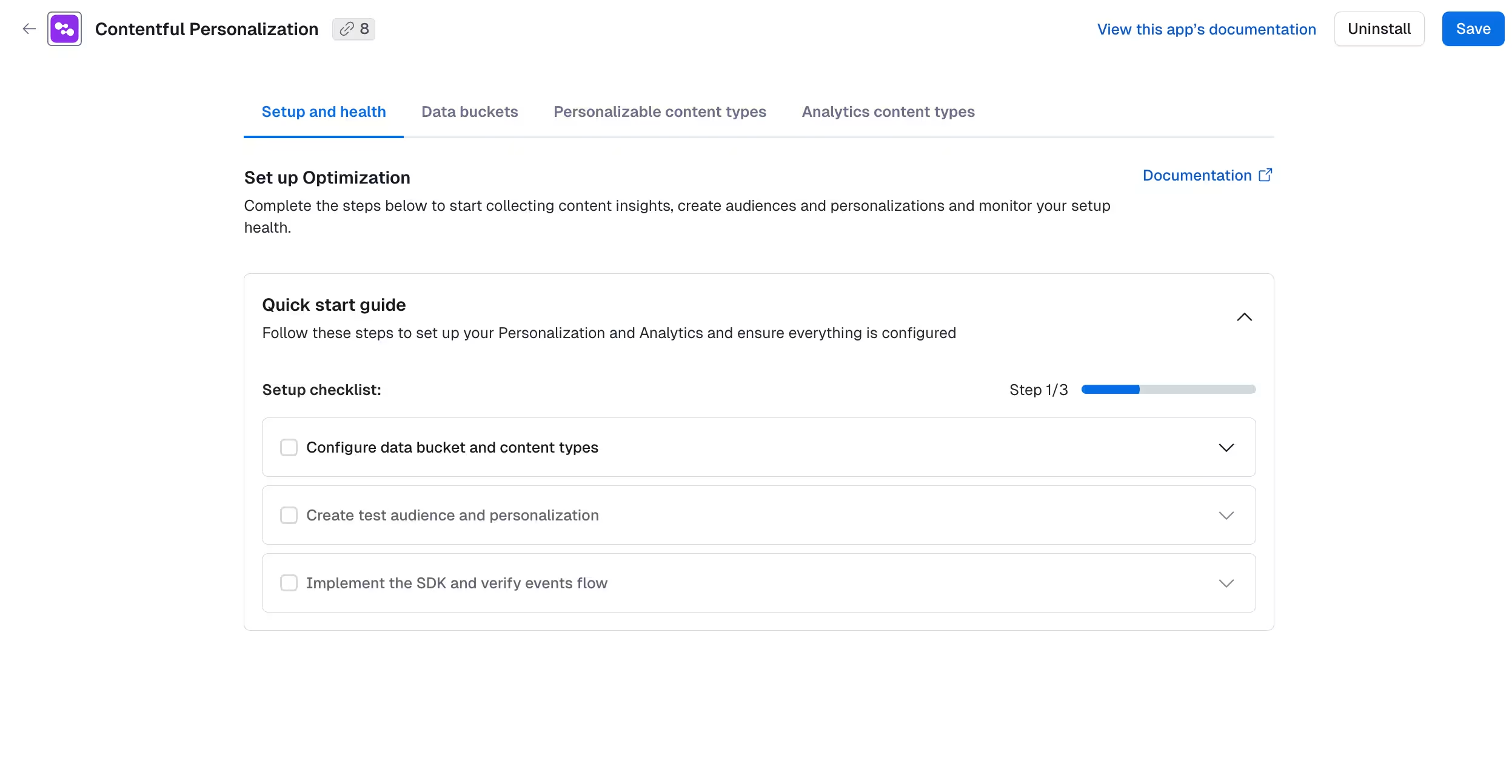
We have sunsetted the Ninetailed legacy app in March as part of our transition to a more unified personalization experience within Contentful. All new setup and configuration should be done within the Contentful web app, in the organization settings.

What you need to know

  • No action required. All existing customers have been migrated to the fully integrated Contentful Personalization dashboard, giving you a seamless, end-to-end workflow without the need to switch between systems.
  • You can no longer access or sign up through the legacy app.

To access your metrics and data sources, navigate to the Optimization tab in the organization settings.

Optimization tab in the org settings of Contentful Personalization

For more information on the new setup, see Install Contentful Personalization and Set up Contentful Personalization in the Help Center.

Contentful Management SDK (CMA.js) v12 is released

We have released v12 of our JavaScript Content Management SDK, contentful-management.js (CMA.js). This update focuses on upgrading the underlying technical foundations to a more modern JavaScript runtime and module system, improving long-term compatibility with current tooling and platforms.

This update will give us the following benefits:

  • TypeScript improvements: Better type inference and clearer error messages for developers using CMA.js in TypeScript projects.
  • Performance: Potentially faster runtime and leaner bundles in modern build setups, especially when tree-shaking and ESM are enabled.
  • Compatibility: Improved support for current Node.js versions and modern build tools (for example, Vite or esbuild), making it easier to integrate CMA.js into contemporary stacks.
  • Maintenance & security: Updated and consolidated dependencies so we can rely on actively maintained packages and ship security and bug fixes more reliably.

You can find detailed migration steps and code examples in our CMA.js v12 migration guide, which explains the breaking changes and recommended upgrade path, and common questions in more detail.

Run AI suggestions in bulk - Beta

You can now access the beta feature of running AI Suggestions across multiple entries at once.

Bulk AI Suggestions

To access this feature, navigate to our preview center, to start generating entry-level recommendations and the ability to review differences and apply changes efficiently at scale. For example:

  • Adapt tone by region - adjust wording to align with regional tone and cultural expectations.
  • Translation QA audits - review translated content for clarity, tone accuracy and consistency.
  • Brand audits across content - align your content to your brand guidelines for tone and terminology consistency.

To run AI Suggestions in bulk, select the entries from the content table, choose your AI suggestion from the Run AI Action dropdown (including any required options such as target locale), and click Start run.

Review results in AI & Automations → AI Runs, where you can:

  • View pending and reviewed entries.
  • See field-level suggestions with reasoning and change previews.
  • Apply, dismiss or restore suggestions.

For more information, read our documentation.

Prevent manual edits to SCIM provisioned users

As administrators, you can now prevent manual edits to SCIM-provisioned users, ensuring your identity provider remains the source of truth for access management in Contentful. This helps reduce manual admin work, prevent access drift, and keep roles and memberships aligned more reliably for organizations using both SCIM and SSO.

Navigate to your SCIM configuration page to enable this capability. Check out our SCIM FAQ page for more information.pawelzmarlak-2026-03-17T11 46 20.616Z