> For clean Markdown of any page, append .md to the page URL.
> For a complete documentation index, see https://contentful.com/developers/docs/llms.txt.
> For AI client integration (Claude Code, Cursor, etc.), connect to the MCP server at https://contentful.com/_mcp/server.
# Render code blocks using Rich Text
> How to render code blocks using Rich Text.
## Overview
The following guide is an example of how you can render code blocks using the Rich Text editor in Contentful. We will configure the Rich Text Options file at the code level. The Rich Text Options file contains configuration settings for the editor, in this case, the way your code blocks' syntax is highlighted.
> **Info**
>
> This guide assumes you are familiar with JavaScript, React, Next.js and the React Syntax Highlighter.
## Prerequisites
* A Rich Text field within Contentful. This will hold your structured content, including embedded code snippets.
* A content type for code snippets with the following fields:
1. **Language**: Short text field to specify the programming language.
2. **Code snippet**: Long text field to store the actual code.
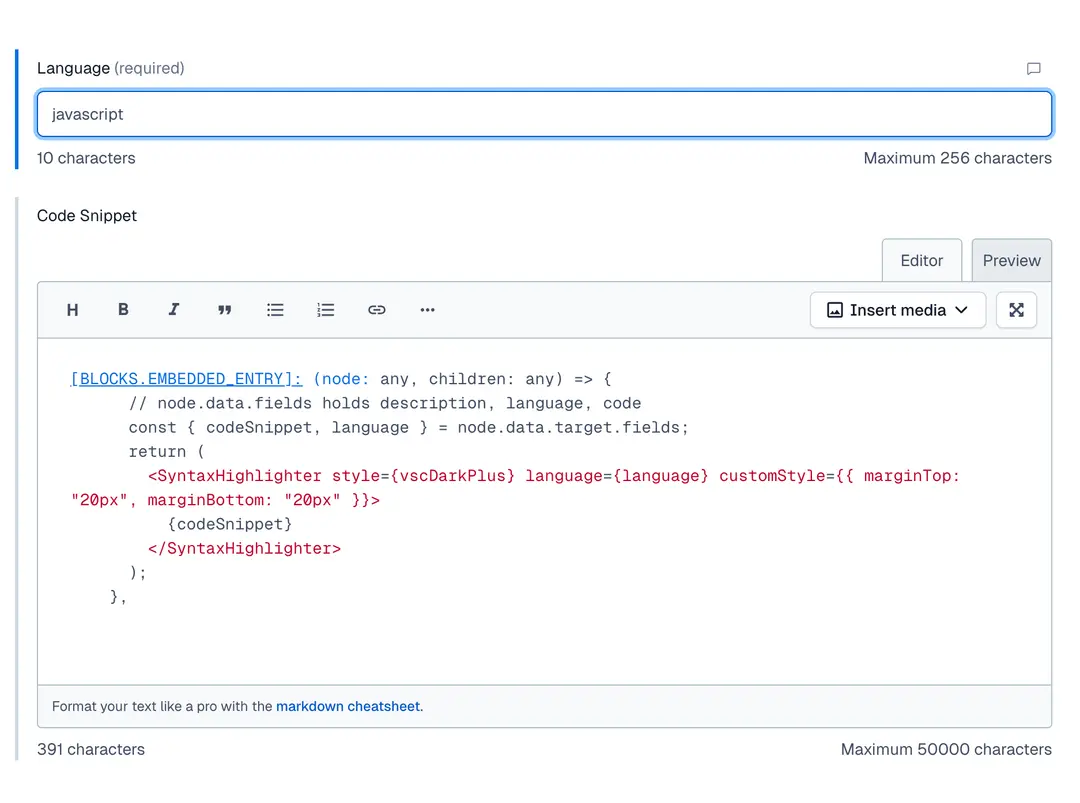
* A Rich Text field that is set to accept only the content type for code snippets
* The [react-syntax-highlighter](https://www.npmjs.com/package/react-syntax-highlighter) installed
## Implementation
### 1. Import syntax highlighter and theme
```tsx
import { Prism as SyntaxHighlighter } from 'react-syntax-highlighter';
import { vscDarkPlus } from 'react-syntax-highlighter/dist/esm/styles/prism';
```
### 2. Extend your Rich Text Options
To configure the Rich Text Options file at the code level, you need to embed a content type in your Rich Text field in Contentful. This way, we know we have a code block and have reusability of content.
We can achieve the desired outcome by writing something like this:
```js
[BLOCKS.EMBEDDED_ENTRY]: (node: any, children: any) => {
// node.data.fields holds description, language, code
const { codeSnippet, language } = node.data.target.fields;
return (
{codeSnippet}
);
},
```
When rendering the Rich Text content using `@contentful/rich-text-react-renderer`, you need to provide a custom rendering rule for embedded entries:
```tsx
import { BLOCKS } from '@contentful/rich-text-types';
import { documentToReactComponents } from '@contentful/rich-text-react-renderer';
const richTextOptions = {
renderNode: {
[BLOCKS.EMBEDDED_ENTRY]: (node: any) => {
const { codeSnippet, language } = node.data.target.fields;
return (
{codeSnippet}
);
},
},
};
```
### 3. Render the content
```tsx
documentToReactComponents(content, richTextOptions)
```
Where `content` is the JSON you get from the Contentful Rich Text field.
Once implemented, any embedded code snippet entry within your Rich Text field will be rendered as a highlighted code block using `react-syntax-highlighter`.
> How to render code blocks using Rich Text.